
Restaurant ERP and POS Software GCC: A Complete Guide for Restaurant Businesses

The restaurant industry across the Gulf Cooperation Council (GCC) is becoming increasingly competitive. From independent restaurants and cafés to cloud kitchens, food courts, and multi-branch restaurant chains, businesses must manage customer orders, kitchen operations, inventory, employees, and financial records efficiently. Managing these activities through separate software systems or manual processes can create billing errors, inventory discrepancies, food wastage, and delays in service. Restaurant ERP and POS software GCC businesses use can help address these challenges by connecting front-of-house and back-of-house operations within a more integrated management environment. For restaurants operating in the UAE, Saudi Arabia, Qatar, Oman, Kuwait, and Bahrain, choosing the right technology can improve operational visibility, simplify daily workflows, and support business expansion. At Mentor Performance, businesses can explore ERP solutions that align with their operational requirements and help connect essential business processes. What Is Restaurant ERP and POS Software? Restaurant ERP and POS software combines transaction processing with broader restaurant management functions. A Point of Sale (POS) system manages customer orders, billing, payments, and sales transactions. Depending on its capabilities, it may also support table management, discounts, receipts, and order tracking. An Enterprise Resource Planning (ERP) system connects wider business functions, including inventory, procurement, accounting, employee management, and financial reporting. When integrated with a restaurant POS, it helps connect sales information with other operational activities. For example, when a customer orders a meal, the POS records the transaction. The connected system can send the order to the kitchen, update ingredient consumption according to configured recipes, and make relevant sales information available for reporting. This reduces the need for employees to enter the same information into multiple systems. The exact capabilities depend on the software, available modules, and integrations selected by the restaurant. Why GCC Restaurants Need Integrated ERP and POS Solutions Restaurants across the GCC operate in a diverse business environment. Some serve local customers through dine-in services, while others depend heavily on takeaway orders, online delivery platforms, catering, or multiple outlets. As operations expand, disconnected systems can make it difficult to maintain accurate information and consistent service. 1. Managing Multiple Sales Channels Restaurants may receive orders through counter service, table service, telephone calls, websites, mobile applications, and third-party delivery platforms. Handling these channels separately can result in duplicate entries, missed orders, and confusion between front-of-house and kitchen employees. An integrated restaurant POS can centralise supported sales channels, helping employees process orders more consistently and monitor order status. 2. Controlling Food Costs and Inventory Food ingredients are among the most important operational expenses for restaurants. Poor stock visibility, over-purchasing, incorrect portion sizes, and expired ingredients can affect profitability. Restaurant ERP software can help track purchases, stock movements, ingredient usage, and supplier information. When recipe-level inventory tracking is configured, sales can also be used to estimate ingredient consumption. These records help restaurant managers identify unusual consumption patterns and make more informed purchasing decisions. 3. Coordinating Multiple Branches Restaurant groups operating in different GCC cities or countries need consistent reporting across locations. A centralized system can provide branch-level and consolidated sales reports, inventory visibility, and management information. Depending on the solution, authorised managers may also be able to coordinate menus, pricing, and operational settings across outlets. This helps business owners monitor performance without depending entirely on separate reports from individual branches. 4. Improving Financial Visibility Restaurant owners need to understand revenue, operating expenses, food costs, labour costs, and profitability. When POS transactions are connected with accounting and ERP functions, financial information can be recorded more consistently. Managers can compare performance across periods and investigate areas where expenses are increasing. The benefit depends on accurate transaction records, appropriate accounting configuration, and the quality of the reporting process. Essential Features of Restaurant ERP and POS Software GCC Businesses Should Look For The right system should solve practical business problems rather than simply provide a long list of features. 1. Integrated POS Billing and Order Management A reliable POS is central to restaurant operations. It should support fast order entry, accurate billing, applicable discounts, payment recording, and receipt generation. Restaurants with table service may also require table allocation, split bills, order transfers, and service-charge configuration. For quick-service restaurants and cafés, speed and ease of use may be the main priorities. Fine-dining establishments may require more advanced table and reservation management. 2. Kitchen Order Management Kitchen Order Tickets (KOTs) and Kitchen Display Systems (KDS) help coordinate orders between service staff and kitchen teams. Instead of relying entirely on handwritten tickets, an integrated system can send orders to the appropriate preparation station and display their status. This can help employees organise preparation tasks, reduce communication errors, and identify delayed orders during busy periods. 3. Inventory and Ingredient Tracking Restaurant inventory management should cover raw materials, beverages, packaging, and other essential supplies. Useful features include: These functions help businesses maintain more accurate inventory records and reduce avoidable purchasing and storage problems. 4. Recipe Costing and Menu Profitability Knowing the selling price of a dish is not enough to understand its profitability. Restaurant owners also need to account for the ingredients and other costs associated with preparing it. Recipe costing connects ingredient quantities with menu items to estimate the cost of preparing each dish. By comparing ingredient costs with selling prices, managers can identify menu items that may require price adjustments or portion-control improvements. Cost calculations should account for relevant wastage, supplier price changes, and other business expenses where appropriate. 5. Online Ordering and Delivery Integration Online food delivery is an important sales channel for many restaurant businesses across the GCC. A suitable system should be able to integrate with the restaurant’s relevant ordering channels and supported delivery platforms. This can help centralise incoming orders and reduce manual re-entry. Before choosing a solution, restaurants should verify which platforms are supported in their specific country and whether the integration includes order acceptance, menu synchronisation, pricing, and order-status updates. 6. Multi-Branch Restaurant Management Restaurant chains need consistent oversight of sales, inventory, purchasing, and operational performance across locations. Multi-branch functionality can help businesses compare outlet performance, review consolidated
Warehouse Management System GCC: Improving Inventory Accuracy and Operational Efficiency
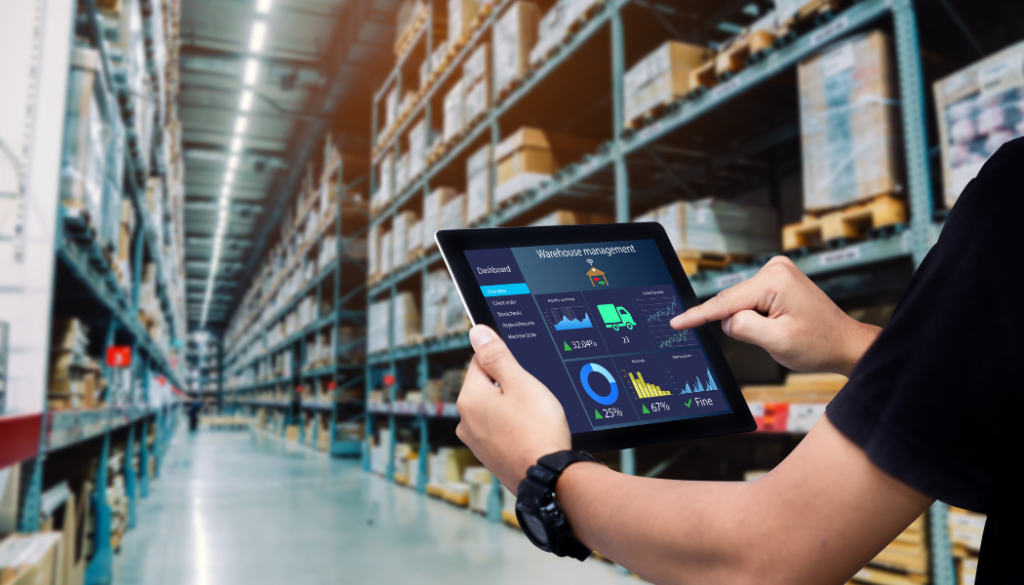
Businesses across the Gulf Cooperation Council (GCC) are increasingly focused on improving warehouse efficiency, inventory accuracy, and order fulfilment. As companies expand their distribution networks and manage stock across multiple locations, manual inventory tracking and disconnected software systems can make daily operations more difficult. A warehouse management system GCC businesses can rely on helps streamline warehouse activities, improve stock visibility, and coordinate inventory movements more effectively. By connecting warehouse operations with broader business management processes, companies can reduce avoidable errors and make better operational decisions. For businesses in the UAE, Saudi Arabia, Qatar, Oman, Kuwait, and Bahrain, implementing the right warehouse management solution can support sustainable growth and more organised supply chain operations. What Is a Warehouse Management System? A warehouse management system (WMS) is software designed to manage and monitor activities within a warehouse. These activities typically include receiving goods, assigning storage locations, tracking inventory, processing orders, picking and packing products, and managing dispatches. Instead of relying entirely on spreadsheets or manual records, businesses can use a WMS to maintain more consistent inventory information and monitor stock movements throughout the warehouse. When integrated with an enterprise resource planning (ERP) system, warehouse management software can also connect inventory data with purchasing, sales, finance, and distribution activities. This gives management a more complete view of business operations. Why GCC Businesses Need a Modern Warehouse Management System The GCC includes businesses operating across different industries, from retail and wholesale distribution to manufacturing, logistics, and e-commerce. Each industry has specific warehouse requirements, but many businesses face similar operational challenges. 1. Managing Inventory Across Multiple Warehouses Businesses operating in multiple GCC locations need to understand how much stock is available at each warehouse. Without centralised visibility, teams may struggle to identify surplus inventory in one location while another experiences shortages. A warehouse management system can help businesses monitor stock by warehouse, storage area, and product category. It can also support inter-warehouse transfers and improve coordination between branches. 2. Reducing Inventory Errors Manual stock updates can lead to duplicate entries, incorrect quantities, misplaced products, and discrepancies between physical inventory and system records. Barcode scanning and other identification technologies can improve the accuracy of receiving, picking, and dispatch processes. More accurate records help teams investigate discrepancies and maintain better inventory control. 3. Improving Order Fulfilment Delayed picking and packing can affect delivery schedules and customer satisfaction. A WMS can organise picking tasks, guide warehouse employees to the correct storage locations, and support more efficient order processing. For distributors and retailers serving customers across different GCC markets, these improvements can help teams manage higher order volumes without relying entirely on additional manual work. 4. Supporting Business Expansion As a business opens new branches, distribution centres, or storage facilities, its warehouse processes become more complex. A scalable warehouse management system allows businesses to establish consistent procedures across locations while maintaining visibility into individual warehouse performance. This can make expansion easier to manage. Essential Features of a Warehouse Management System GCC Companies Should Consider Choosing warehouse management software requires more than comparing prices or looking at the number of available features. Businesses should evaluate how well the system supports their existing processes and future operational requirements. Real-Time Inventory Tracking Real-time or timely inventory updates help warehouse teams understand stock availability and movement. Managers can use this information to identify shortages, monitor fast-moving products, and plan replenishment more effectively. Multi-Warehouse Inventory Control For organisations with warehouses in different cities or GCC countries, multi-warehouse management is essential. The system should support location-specific stock records, warehouse transfers, and consolidated inventory reporting. Barcode and RFID Integration Barcode scanners and radio-frequency identification (RFID) technology can reduce manual data entry and speed up inventory identification. Depending on the business requirements and hardware setup, these technologies can support receiving, stock counting, product movement, and dispatch verification. Automated Receiving and Putaway Receiving processes involve checking incoming goods against purchase orders, recording quantities, and assigning storage locations. A suitable WMS helps standardise these activities and provides clearer records of stock entering the warehouse. Picking, Packing, and Dispatch Management Efficient picking and packing processes help reduce order errors and delays. Warehouse software can organise tasks, track order progress, and verify products before dispatch. Reporting and Performance Analytics Warehouse reports can help managers monitor inventory accuracy, stock movement, order processing times, and storage utilisation. These insights support more informed decisions about staffing, purchasing, and warehouse capacity. ERP and Business Software Integration A warehouse management system becomes more valuable when it works with other business applications. Integration with ERP, accounting, procurement, sales, and transportation systems can reduce information gaps between departments and improve operational coordination. How Multi-Warehouse Management Supports GCC Operations Multi-warehouse management is particularly relevant for businesses that distribute products across the UAE, Saudi Arabia, Qatar, Kuwait, Bahrain, and Oman. Consider a wholesale distributor operating several warehouses. One location may hold excess stock of a product while another needs additional units to fulfil customer orders. Without a consolidated view, managers may purchase more inventory unnecessarily or experience avoidable delivery delays. A connected warehouse management system helps teams: These capabilities can help businesses make better use of existing inventory and coordinate their distribution activities more effectively. However, multi-warehouse requirements vary. Companies should confirm whether their chosen system supports cross-border stock transfers, multiple legal entities, different currencies, and country-specific tax processes when these features are relevant. Warehouse Management System vs. Inventory Management Software Although these terms are sometimes used interchangeably, they serve different operational purposes. Inventory management software primarily focuses on stock quantities, availability, purchasing, and inventory valuation. A warehouse management system provides more detailed control over the physical movement and handling of goods within a warehouse. For example, inventory software may show that a product is available at a particular warehouse. A WMS can additionally help identify its storage location, organise picking activities, and record its movement through receiving and dispatch. Businesses with simple storage requirements may find basic inventory management sufficient. Organisations managing large product ranges, multiple warehouses, complex fulfilment workflows, or third-party logistics operations may benefit from more
How Cloud ERP Solutions Can Support Remote and Hybrid Teams

Remote and hybrid working have changed how businesses manage employees, information, and daily operations. Teams may now work from different offices, homes, branches, or even different countries while still needing access to the same business information. For organisations operating this way, traditional systems that depend heavily on office-based infrastructure can create limitations. Cloud ERP solutions offer a more flexible approach by allowing authorised users to access business applications and information through the internet. From finance and sales to inventory and operations, cloud ERP can help connect distributed teams and create a more centralised way of working. What Are Cloud ERP Solutions? Cloud ERP is enterprise resource planning software hosted in a cloud environment rather than being dependent entirely on servers located within a company’s office. Instead of maintaining separate systems for different departments, an ERP platform can bring multiple business functions together. Depending on the solution, this can include: Because the system is cloud-based, authorised employees can access relevant information from supported devices and locations. 1. Access Business Information from Different Locations One of the biggest challenges for remote and hybrid teams is accessing the information they need outside the office. Cloud ERP can provide authorised users with access to centralised business information without requiring them to be physically present at company premises. For example, a sales manager working from home may need to check an order, while a finance employee in another location needs to review the related transaction. A connected ERP environment can help both teams work with the same underlying information. 2. Keep Departments Connected Remote work can sometimes create information silos. Employees may rely on emails, spreadsheets, messaging applications, and separate software to exchange information. A cloud ERP system can connect business functions through a shared platform. For example, a sales order may affect inventory, purchasing, finance, and delivery processes. When these functions are connected, employees can access information relevant to their responsibilities without repeatedly requesting data from another department. 3. Support Real-Time Collaboration Hybrid teams often need to make decisions without being in the same physical location. Access to updated business information can make collaboration easier. Managers can review sales figures, inventory information, financial data, or operational reports while working remotely. Instead of waiting for someone in the office to send a spreadsheet or report, authorised users can access the relevant information directly through the ERP platform. 4. Reduce Dependence on Spreadsheets Spreadsheets can become difficult to manage when several employees in different locations are working with separate versions. One employee may update a file while another is working with an older copy. This can lead to inconsistencies and additional reconciliation work. Cloud ERP solutions can centralise business information and reduce dependence on manually shared spreadsheets for core processes. This can help teams spend less time checking different versions of data and more time using information for business activities. 5. Make Business Processes More Accessible Remote employees may need to complete tasks such as approving purchases, reviewing invoices, updating customer information, or checking inventory. Cloud-based ERP platforms can make these processes accessible beyond the traditional office environment, subject to the organisation’s permissions and security policies. This can help prevent routine activities from being delayed simply because the person responsible is working remotely. 6. Improve Visibility for Managers Managing a distributed workforce requires good visibility into business performance. Cloud ERP dashboards and reporting tools can give authorised managers access to information such as: Having this information available through a central system can make it easier for managers to monitor operations without relying entirely on updates from individual teams. 7. Support Multi-Location Businesses Remote and hybrid working often exists alongside multiple offices, branches, warehouses, or business units. A cloud ERP solution can help bring information from different locations into a connected environment. This can be particularly useful for businesses that need to monitor operations across multiple sites. Centralised access can help management compare performance, monitor transactions, and maintain consistent processes across locations. 8. Simplify Onboarding for Distributed Teams New employees joining remote or hybrid teams need access to the systems and information required for their roles. A centralised ERP environment can reduce the need to introduce employees to multiple disconnected applications for core business processes. Access can be configured according to employee responsibilities, helping users work with the information and functions relevant to their roles. 9. Enable Better Workflow Management Cloud ERP can support digital workflows for processes such as approvals, purchasing, expenses, and other routine business activities. For example, an employee may submit a purchase request remotely. The request can then move through the relevant approval process without requiring physical paperwork or an employee to be present in a particular office. Automated workflows can help reduce delays and make business processes easier to track. 10. Strengthen Data Centralisation One of the major advantages of an ERP system is the ability to bring information from different business functions into a connected environment. For hybrid teams, this centralisation becomes particularly useful because employees are not always working in the same place. Rather than keeping important information on individual computers or isolated systems, organisations can establish a central source of business information with access controlled according to user roles. Security Still Matters Remote access also makes security an important consideration. Businesses should carefully evaluate how a cloud ERP provider manages authentication, user permissions, data protection, backups, monitoring, and other security controls. Employees should also follow company security policies, including using strong passwords, appropriate authentication methods, secure devices, and approved networks. A cloud ERP system should not simply be selected because it provides remote access. Security and access management should be considered as part of the overall technology strategy. What Businesses Should Consider Before Choosing a Cloud ERP Solution Every organisation has different requirements. Before selecting a cloud ERP platform, businesses should evaluate: Understanding these requirements can help businesses choose a solution that supports their actual working environment rather than simply adopting technology because it is cloud-based. Is Cloud ERP Suitable for Remote and Hybrid Businesses? For organisations with
Signs Your Business Has Outgrown Its Current Management Software

Business management software can make daily operations easier by bringing information, processes, and teams into one system. However, as a company grows, the software that once worked well may no longer be able to keep up with increasing operational demands. Using outdated or limited software can lead to duplicate data, manual work, reporting delays, and disconnected departments. Recognising the signs early can help businesses determine when it may be time to consider a more capable business ERP system. 1. Your Teams Rely Too Much on Spreadsheets Spreadsheets can be useful for small tasks, but relying heavily on them for core business processes can become difficult as operations expand. Employees may maintain separate spreadsheets for sales, inventory, purchasing, finance, or customer information. This can result in duplicated data and inconsistent records. An integrated ERP system can bring key business information into a central platform, reducing the need to maintain multiple disconnected files. 2. Departments Are Working with Different Data A growing business may have separate systems for finance, sales, inventory, HR, and operations. When these systems do not communicate effectively, employees may struggle to access the information they need. For example, the sales team may have one customer record while the finance department maintains another. This can create unnecessary reconciliation work and make it harder to get an accurate view of business activity. A connected business ERP system can help different departments work from shared and more consistent information. 3. Reporting Takes Too Long Business leaders need timely information to make informed decisions. If employees have to manually collect data from multiple systems before creating a report, valuable time can be lost. Signs of a reporting problem include: Modern ERP platforms can automate data collection and provide dashboards and reports that make business information easier to access. 4. Manual Data Entry Is Increasing As transaction volumes grow, manual data entry becomes increasingly difficult to manage. Employees may have to enter the same information into multiple applications, increasing the possibility of errors. Repetitive administrative tasks can also take employees away from higher-value activities. ERP software can automate selected workflows and allow information entered in one part of the system to be used across connected processes. 5. Inventory Management Is Becoming Difficult Inventory problems are often a sign that existing software is no longer sufficient for a growing business. If your teams regularly struggle to determine current stock levels, track movements, manage multiple warehouses, or identify slow-moving products, your existing system may lack the required capabilities. An ERP system with integrated inventory management can provide better visibility into stock and related business processes. 6. Your Business Has Added New Locations or Markets Expansion can create new management challenges. Opening additional branches, warehouses, or operating across different markets may require more sophisticated systems for financial management, inventory, purchasing, sales, and reporting. Software designed for a smaller operation may not provide the scalability or centralised visibility required to manage a more complex organisation. 7. Your Current Software Does Not Integrate Well Businesses often use multiple applications for different functions. The problem occurs when these applications cannot exchange information effectively. Poor integration may result in: A modern ERP solution can connect important business functions and reduce unnecessary data silos. 8. Employees Are Creating Workarounds One of the clearest warning signs is when employees regularly find ways around the software. They may create their own spreadsheets, use separate tools, maintain personal databases, or develop manual processes because the existing system does not support their requirements. These workarounds can make business processes harder to control and create additional sources of data that management has to reconcile. 9. You Cannot Easily Access Real-Time Business Information Business decisions become more difficult when important information is outdated. Management may need to know current sales performance, outstanding payments, inventory levels, purchasing activity, or operational performance. If obtaining these details requires several manual steps, the existing system may be limiting visibility. A modern ERP platform can provide centralised access to business information, helping decision-makers understand operations more quickly. 10. Your Customer and Sales Processes Are Becoming More Complex Growth often brings more customers, sales channels, products, and transactions. Basic management software may not be designed to handle this increased complexity. If sales teams have difficulty tracking customer information, quotations, orders, follow-ups, or transaction history, it may be worth reviewing whether the existing technology can scale with the business. Integrating CRM and ERP capabilities can help businesses connect customer-facing processes with finance, inventory, and operations. 11. Your Software Cannot Support Your Future Plans Software should not only solve today’s problems. It should also support the direction your business wants to take. If you are planning to expand into new markets, add business units, introduce new products, increase automation, or improve reporting, your current system needs to be capable of supporting those plans. A lack of scalability can become expensive if businesses repeatedly replace software as they grow. 12. Employees Spend More Time Managing Data Than Using It Business data is valuable when it helps teams understand performance and make decisions. If employees spend most of their time collecting, cleaning, transferring, and reconciling data, the organisation may not be getting enough value from its current software. An integrated system can reduce repetitive information management and allow teams to focus more on analysis and business activities. What Should You Consider Before Moving to an ERP System? Recognising these signs does not automatically mean that you need to replace your software immediately. Businesses should first evaluate their current processes, identify major limitations, and define their future requirements. Consider questions such as: The answers can help determine whether upgrading existing tools, adding integrations, or implementing an ERP solution is the most appropriate approach. Why Choosing the Right ERP Matters ERP implementation is a significant business decision. The right system should match the organisation’s processes, industry requirements, growth plans, and reporting needs. A well-planned ERP solution can bring business functions together, improve information visibility, reduce repetitive work, and provide a stronger foundation for future growth. At Mentor Performance,
How Van Sales ERP Improves Inventory Control for FMCG Distributors

Inventory management is one of the biggest challenges for FMCG distributors. Products move quickly from warehouses to delivery vehicles and then to retailers, often across multiple routes and locations. Without accurate and timely inventory information, distributors can face stock shortages, excess inventory, product losses, and difficulties tracking van-level stock. This is where Van Sales ERP can make a significant difference. By connecting field sales operations with inventory, orders, deliveries, returns, and financial information, an ERP system gives distributors better visibility and control over their stock throughout the distribution process. Mentor Performance provides ERP solutions that help businesses bring different operational functions together through a connected business management system. For FMCG distributors, an integrated ERP approach can help improve visibility across warehouse and van sales operations. What Is Van Sales ERP? Van Sales ERP is an integrated business management system designed to support sales operations carried out directly from delivery or sales vehicles. It connects van sales activities with core business functions such as inventory management, order processing, invoicing, accounting, customer management, and reporting. For FMCG distributors, this means sales representatives can manage products and transactions directly from the field while the business maintains a centralized view of inventory. Instead of relying on separate spreadsheets, manual records, or disconnected applications, distributors can manage van-level stock and sales through a connected ERP environment. Why Inventory Control Is Important for FMCG Distributors FMCG businesses deal with products that often have high sales volumes, frequent replenishment requirements, and limited shelf life. Small inventory errors can quickly become costly when they occur across multiple vans and routes. Common inventory challenges include: A Van Sales ERP helps address these challenges by providing a more connected approach to inventory management. 1. Real-Time Visibility of Van Inventory One of the major advantages of Van Sales ERP is improved visibility into stock held by individual sales vehicles. When products are loaded onto a van, the system can record the quantity assigned to that vehicle. As sales are completed, inventory levels can be updated based on transactions. Managers can therefore gain a clearer picture of: With an ERP system such as the solutions offered by Mentor Performance, businesses can work toward connecting field-level sales information with broader inventory and business operations. 2. Better Control Over Stock Movement FMCG inventory moves through several stages before reaching the final customer. Products may move from the main warehouse to a van, from the van to retailers, and back to the warehouse as returns. Without a centralized system, tracking these movements can become complicated. Van Sales ERP helps create a digital record of stock movements. This can make it easier to identify when products were issued, sold, returned, transferred, or adjusted. Better stock movement visibility can also reduce discrepancies between warehouse records and field inventory. 3. Reduced Risk of Stockouts Stockouts can result in missed sales and dissatisfied retailers. If sales representatives do not have the products customers need, opportunities can be lost. Van Sales ERP provides better visibility into product availability, helping sales teams and managers identify low-stock situations. Historical sales data can also help distributors understand which products sell faster on particular routes or through specific customers. With the right ERP setup, businesses can plan van loading and replenishment more effectively. 4. Helps Prevent Overstocking Inventory problems are not limited to shortages. Carrying too much stock can also create financial and operational challenges. Excess inventory can occupy warehouse and vehicle space and may increase the risk of expired or slow-moving products. Van Sales ERP can help businesses monitor sales patterns and inventory levels. This information can support more informed decisions about how much stock should be allocated to different vehicles and routes. For FMCG distributors, this can contribute to a more balanced inventory strategy. 5. Improved Management of Returns Product returns are common in FMCG distribution. Retailers may return products because of damage, incorrect deliveries, expiry concerns, or other reasons. When returns are managed manually, they can easily be missed or recorded incorrectly. An ERP-based van sales system can connect return transactions with inventory records. This allows businesses to maintain better visibility of products coming back from the field. Mentor Performance focuses on connected ERP solutions that can bring operational processes together, helping businesses create a more structured approach to sales, inventory, and related business activities. 6. Better Tracking of Damaged and Expired Products FMCG products can be sensitive to storage conditions, handling, and shelf-life requirements. Damaged or expired products represent inventory that cannot be sold normally. A connected ERP system can help distributors record inventory adjustments and identify products that require special attention. This information can also support better analysis of inventory losses and help management identify recurring problems. 7. More Accurate Sales and Inventory Reconciliation At the end of a sales route, distributors need to compare what was issued to the van with what was sold, returned, and remaining. Manual reconciliation can take time and may result in errors. Van Sales ERP brings these transactions together, making reconciliation more structured. For example: Opening Stock = Sales + Returns + Closing Stock + Adjustments Maintaining accurate records across these transactions makes it easier to identify discrepancies and investigate them quickly. 8. Better Coordination Between Warehouse and Field Sales Warehouse teams and field sales teams need accurate information to work efficiently. If the warehouse does not know what stock is available in vans, replenishment decisions can be delayed. Similarly, sales teams may not know whether products are available for their routes. An integrated ERP system connects these operations. With an ERP platform such as Mentor Performance, businesses can work toward a more centralized flow of information between different business functions, reducing information gaps between warehouse and field teams. 9. Data-Driven Inventory Planning Historical sales information is valuable for FMCG distributors because demand can vary by product, location, customer, route, and season. Van Sales ERP can bring sales and inventory data together to support better analysis. Businesses can use this information to identify: These insights can help distributors make more informed inventory
ERP, CRM & HRMS Integration in GCC: The Benefits of a Connected Business System
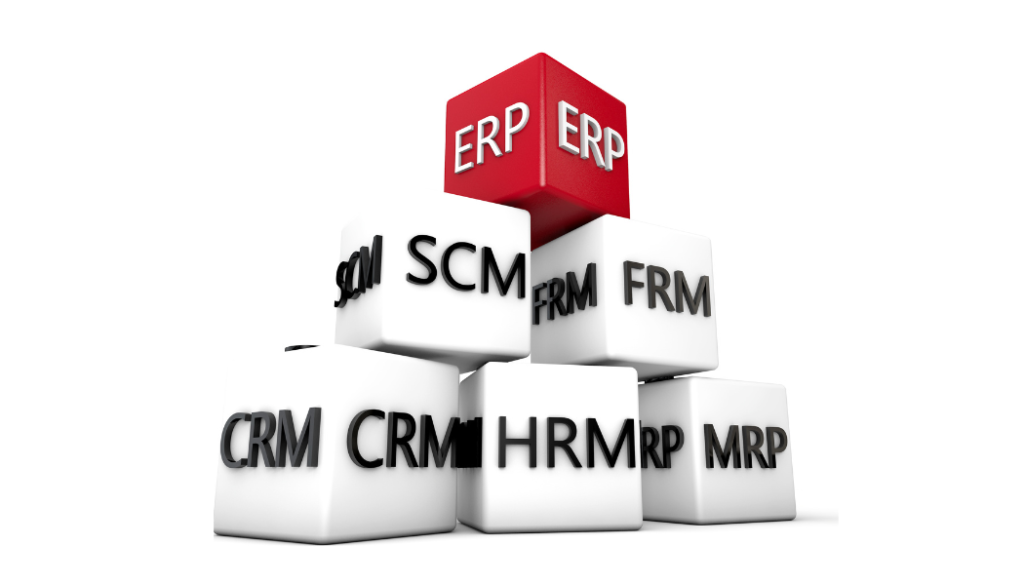
Businesses across the GCC are increasingly managing complex operations across sales, finance, human resources, inventory, procurement, and customer service. When each department relies on separate software, important information can become fragmented, making it harder for management teams to get a complete view of the business. Integrating ERP, CRM, and HRMS into a connected business environment can help organizations bring these functions together. Instead of maintaining isolated systems, enterprises can create a more coordinated flow of information between departments. For companies operating in the UAE, Saudi Arabia, Qatar, Oman, Kuwait, Bahrain, and other GCC markets, this approach can support better visibility, more consistent processes, and more efficient decision-making. What Are ERP, CRM, and HRMS? Before looking at integration, it is useful to understand the role of each system. ERP (Enterprise Resource Planning) manages core business operations such as finance, accounting, inventory, procurement, supply chain, manufacturing, and other operational processes. CRM (Customer Relationship Management) focuses on customers and sales activities. It can help businesses manage leads, opportunities, customer interactions, sales pipelines, and follow-ups. HRMS (Human Resource Management System) manages employee-related processes such as employee records, attendance, leave, payroll, recruitment, performance, and other HR activities. Each system serves a different purpose, but their data often overlaps. For example, a sales order can affect finance, inventory, customer records, and employee activities. Integration allows relevant information to move between these functions without requiring repeated manual entry. Why Separate Systems Can Create Business Challenges Using different platforms for different departments is not necessarily a problem. The challenge arises when those platforms cannot communicate effectively. Employees may need to enter the same information into multiple systems. Finance teams may wait for sales data, HR teams may maintain separate employee records, and management may need to combine reports from several applications before understanding business performance. This can result in: As organizations grow, these challenges can become more noticeable. How ERP, CRM and HRMS Integration Connects Business Functions Integration creates a flow of relevant information between systems. For example, when a new customer is added through the CRM, relevant information can be made available to the ERP. When an employee joins the organization, HRMS information can support payroll and workforce-related processes. Sales transactions recorded through CRM can also provide information required by finance and operations. The objective is not necessarily to make every system identical. Instead, each platform can continue handling its specialized functions while exchanging the information required by other departments. 1. Connecting Sales With Finance CRM systems contain valuable information about leads, customers, opportunities, and sales activities. ERP platforms handle financial transactions, invoicing, receivables, and accounting. Integration can connect these processes. When a deal moves from the sales pipeline to an actual transaction, relevant information can flow into the operational and financial processes. This reduces the need for sales and finance teams to manually exchange the same information. It can also give management a clearer view of the relationship between sales activity and financial performance. 2. Linking Customer Data With Operations Customers interact with different parts of a business. Sales teams may manage the relationship, while finance handles invoices and operations manage orders or deliveries. Without integration, each department may maintain a different version of customer information. A connected system can help establish more consistent customer data across business functions. This can be particularly useful for GCC businesses managing multiple branches, sales teams, distribution channels, or regional operations. 3. Connecting HR With Business Operations Employees are central to business operations, but HR information is often kept separately from operational systems. HRMS integration can connect employee information with relevant business processes while maintaining appropriate access controls. For example, employee information can support payroll, attendance, workforce planning, and organizational reporting. This can help businesses reduce repetitive administrative work and maintain more consistent employee records. 4. Improving Management Visibility One of the biggest advantages of connected business systems is the ability to bring information together for management reporting. Instead of reviewing separate reports from finance, sales, HR, and operations, decision-makers can access information from connected systems. This can help management examine areas such as: Better access to business information can support more informed planning. 5. Reducing Repetitive Data Entry Manual data entry is time-consuming and can introduce errors. When information needs to be entered into multiple platforms, employees spend time performing administrative tasks rather than focusing on higher-value activities. Integration can allow information captured in one system to be transferred to another system based on predefined workflows. For example, customer and transaction information can move between CRM and ERP processes without requiring employees to repeatedly enter the same details. 6. Supporting Multi-Branch GCC Operations Many GCC businesses operate across multiple locations or countries. Managing different branches can make data consistency more challenging. A connected ERP, CRM, and HRMS environment can provide a common framework for managing information across locations while allowing organizations to maintain country- or branch-specific processes where necessary. This can be particularly relevant for companies operating across markets such as the UAE, Saudi Arabia, Qatar, Oman, Kuwait, and Bahrain. Businesses can structure access, reporting, workflows, and operational processes according to their organizational requirements. 7. Supporting Better Customer Experiences Customers often interact with several departments during their relationship with a company. A sales representative may need information about an existing order. Finance may need access to customer transaction details. Customer service may need to understand previous interactions. When relevant information is connected, employees can work with a more complete view of the customer. This can help reduce unnecessary communication between departments and make customer interactions more consistent. 8. Creating More Reliable Business Reports Reporting becomes complicated when information is stored across disconnected platforms. Different departments may use different definitions, reporting periods, or data sources. Management may then spend considerable time validating and consolidating information. Integrated systems can provide a more consistent data foundation for reporting. Organizations can develop dashboards and reports around business requirements while reducing dependence on manually combined spreadsheets. What GCC Enterprises Should Consider Before Integration Integration should be planned carefully. Simply connecting multiple applications does
Distribution Management Software GCC: Why Growing Businesses Need More Than Accounting Software
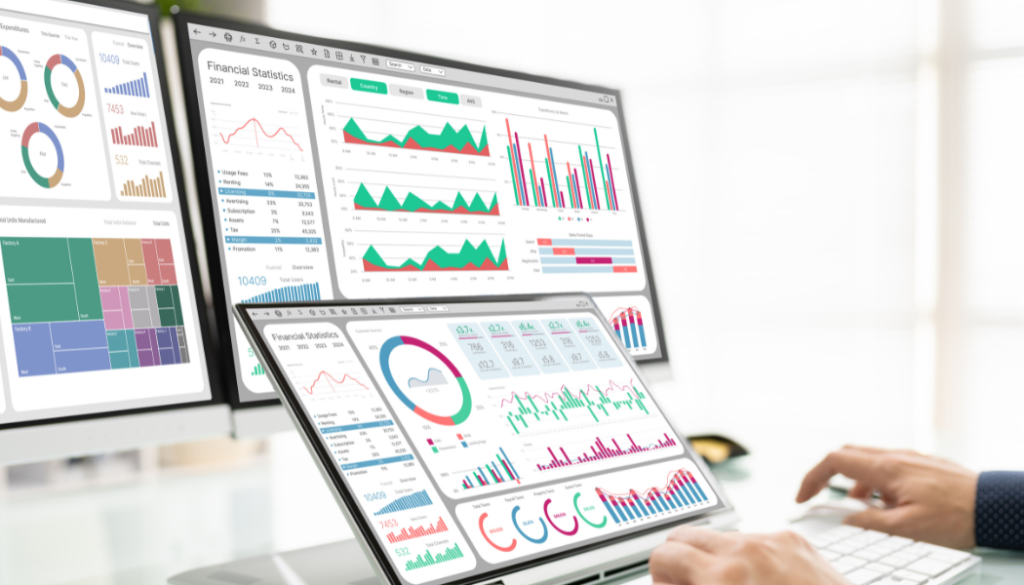
Distribution businesses across the UAE, Saudi Arabia, Qatar, Oman, Kuwait, and Bahrain are growing quickly. As businesses expand into multiple warehouses, larger customer networks, and faster deliveries, managing operations with only accounting software becomes difficult. While accounting software helps with invoices and financial records, it cannot manage inventory movement, warehouse operations, sales orders, or delivery tracking. This is why many businesses in the GCC choose distribution management software to run their operations more efficiently. At Mentor Performance, we provide customized ERP solutions that help GCC distribution businesses simplify daily operations, reduce manual work, and improve business visibility. What Does Accounting Software Do? Accounting software is designed to manage financial activities. It helps businesses: These features are essential, but they mainly focus on accounting rather than daily business operations. What Is Distribution Management Software? Distribution management software GCC businesses use connects every part of the distribution process into one system. Instead of managing sales, inventory, warehouses, and finance separately, everything works together in real time. With one platform, businesses can: This helps teams work faster while reducing mistakes caused by manual processes. Why GCC Businesses Need Distribution Management Software Businesses in the GCC often operate across different cities and sometimes multiple countries. Managing inventory, deliveries, and customer orders becomes much easier when every department shares the same information. Modern ERP systems are commonly used to connect inventory, warehouses, purchasing, sales, and finance across multiple locations. Faster Order Processing Customer orders move directly from the sales team to the warehouse without repeated manual data entry. This helps businesses process orders faster and deliver products on time. Better Inventory Tracking Real-time inventory tracking allows businesses to: Better inventory control improves customer satisfaction and business efficiency. Easier Multi-Warehouse Management Many GCC distributors operate warehouses in different locations. Distribution management software allows businesses to manage inventory across all branches from one dashboard, making stock transfers much easier. Better Support for Sales Teams Sales representatives can access important information while meeting customers, including: This helps sales teams provide faster and more accurate service. Accounting Software vs Distribution Management Software Accounting Software Distribution Management Software Manages financial records Manages the entire distribution process Creates invoices Tracks customer orders Records expenses Monitors inventory in real time Generates financial reports Manages warehouses and deliveries Handles VAT Connects sales, inventory, and finance The biggest difference is that accounting software records completed transactions, while distribution management software helps businesses manage daily operations as they happen. Signs Your GCC Business Needs an Upgrade Your business may benefit from distribution management software GCC if: If these challenges sound familiar, an integrated ERP solution can help simplify your workflow. How Mentor Performance Helps GCC Businesses At Mentor Performance, we provide customized ERP solutions for businesses across the UAE, Saudi Arabia, Qatar, Oman, Kuwait, and Bahrain. Our solutions help distributors connect: By bringing everything into one system, businesses gain better control over daily operations and make faster business decisions. Conclusion The distribution industry in the GCC continues to grow, and businesses need more than basic accounting software to keep up. Distribution management software GCC companies use provides real-time inventory tracking, faster order processing, better warehouse management, and improved visibility across the entire business. Choosing the right ERP solution can help your business operate more efficiently today while preparing for future growth across the GCC. FAQs What is distribution management software? Distribution management software helps businesses manage inventory, orders, warehouses, deliveries, and sales from one connected system. Why do GCC businesses need distribution management software? It helps businesses across the UAE, Saudi Arabia, Qatar, Oman, Kuwait, and Bahrain manage multiple warehouses, improve inventory accuracy, and speed up daily operations. Can distribution management software replace accounting software? It doesn’t replace accounting completely. Instead, it integrates accounting with inventory, sales, warehouse management, and purchasing in one ERP system. Is distribution management software suitable for growing businesses? Yes. It helps businesses handle increasing order volumes, multiple locations, and expanding customer networks more efficiently. Does Mentor Performance offer ERP solutions for GCC distributors? Yes. Mentor Performance provides customized ERP solutions designed to help GCC distribution businesses streamline operations and support long-term growth.
10 Important Considerations Before Replacing Your ERP System
An ERP system plays an important role in managing finance, sales, purchasing, inventory, customer information, employees, and other business operations. As a business grows, an ERP solution that once met its requirements may become difficult to maintain, too limited, or unable to support changing operational needs. Replacing an ERP system is a major business decision. It involves more than selecting new software and transferring existing data. Businesses need to evaluate their current processes, future requirements, implementation risks, costs, integrations, and employee adoption before making the transition. Whether you operate in the UAE, GCC, or another growing business market, careful planning can make ERP replacement more structured and manageable. Here are 10 important considerations to evaluate before replacing your existing ERP system. 1. Identify Why Your Current ERP Is No Longer Suitable Before looking for a replacement, clearly identify the problems with your existing ERP system. Is the system slow? Does it lack important features? Are employees relying on spreadsheets because certain processes are difficult to manage? Are reports difficult to generate? Does the ERP struggle to support multiple branches or locations? Creating a list of these limitations helps establish what the new system needs to improve. Common reasons for replacing an ERP include: Understanding the reason for replacement prevents businesses from selecting a new system without addressing the underlying problems. 2. Define Your Current and Future Business Requirements Your next ERP should support both your current operations and your expected growth. Start by documenting the processes handled by your existing system. These may include accounting, sales, purchasing, inventory management, customer management, order processing, employee management, manufacturing, distribution, or project management. Then consider how these requirements may change as the business grows. For example, a company may currently operate from one location but plan to expand into multiple branches or countries. The ERP should be capable of supporting that expansion without requiring a complete system replacement again. A clear requirements list can also help your team compare ERP solutions more objectively. 3. Evaluate Scalability Business growth can place additional demands on an ERP system. More customers, employees, transactions, products, branches, and locations can increase the complexity of day-to-day operations. When evaluating a replacement ERP, consider whether it can handle: Scalability is particularly important for businesses operating across the GCC and other international markets. The right ERP should be able to adapt as the organization’s operational structure changes. 4. Review Integration Requirements Modern businesses rarely operate with a single software application. ERP systems often need to exchange information with other platforms. Before replacing your ERP, create an inventory of the applications currently connected to your system and identify any new integrations you may need. These could include: An ERP with suitable integration capabilities can reduce duplicate data entry and help maintain consistency across different business processes. 5. Plan Data Migration Carefully Data migration is one of the most important technical considerations during ERP replacement. Your existing system may contain years of customer records, supplier information, product details, financial transactions, inventory data, employee records, and other operational information. Before migration, determine: Data cleansing should ideally happen before migration. Moving inaccurate or duplicated information into the new ERP can create problems after implementation. 6. Calculate the Total Cost of Ownership ERP replacement costs extend beyond the software subscription or licensing fee. A realistic budget should consider the complete cost of implementing and operating the new system. Potential costs include: Comparing only the initial purchase price can give businesses an incomplete picture of the investment. Evaluating the total cost of ownership can help decision-makers understand the longer-term financial impact. 7. Assess Customization and Flexibility Every business has its own processes. However, excessive customization can make an ERP more complicated to maintain and upgrade. When evaluating a new system, determine which requirements can be handled through standard features and which may require configuration or customization. Look for an ERP that provides flexibility through: The goal should be to support important business processes while avoiding unnecessary complexity. 8. Examine Security and Compliance Features An ERP system can contain sensitive financial, customer, supplier, employee, and operational information. Security should therefore be considered during the vendor evaluation process. Review features such as: Businesses should also consider the regulatory and compliance requirements applicable to their industry and operating locations. For organizations operating across the UAE and GCC, understanding local business, financial, tax, and data-related requirements can be particularly important when selecting an ERP system. 9. Prepare Employees for the Transition ERP replacement affects the people who use the system every day. Employees may need to learn new workflows, screens, reports, approval processes, and operating procedures. User adoption should therefore be part of the ERP replacement strategy from the beginning. A practical transition plan may include: Involving employees early can also help identify practical workflow issues that may not be obvious during technical evaluation. 10. Evaluate the ERP Vendor and Support Structure The ERP software itself is only one part of the decision. The vendor or implementation partner can significantly influence the success of the project. Before making a decision, evaluate the provider’s: Ask potential providers how they approach implementation, testing, data migration, employee training, and post-launch support. A strong implementation and support process can help businesses manage the transition more effectively. Build a Clear ERP Replacement Roadmap Replacing an ERP system should be treated as a business transformation project rather than simply a software upgrade. Start by documenting the limitations of the current system, defining business requirements, identifying integration and data migration needs, establishing a realistic budget, and involving the people who will use the new system. It is also useful to establish measurable objectives for the replacement. These might include improving reporting, reducing manual data entry, increasing operational visibility, simplifying workflows, improving inventory control, or supporting expansion into new locations. How Mentor Performance Can Support Your ERP Journey Choosing and implementing an ERP system requires an understanding of both technology and business operations. Mentor Performance helps businesses evaluate and implement ERP solutions around their operational requirements, with capabilities
How AI-Powered ERP Systems Are Transforming Business Operations in 2026

Artificial intelligence is changing the way businesses manage data, automate processes, serve customers, and make strategic decisions. As organizations become more dependent on real-time information, traditional ERP systems are evolving into intelligent platforms that can analyze data, identify patterns, automate repetitive activities, and support faster decision-making. In 2026, the combination of AI and ERP is becoming increasingly important for businesses looking to improve productivity while reducing operational complexity. Instead of simply recording business transactions, modern ERP systems can help organizations understand what is happening across departments and provide insights that support better actions. For businesses operating across the GCC and other competitive markets, AI-powered ERP can provide a stronger foundation for efficient and scalable operations. What Is AI-Powered ERP? AI-powered ERP combines traditional enterprise resource planning capabilities with artificial intelligence and machine learning technologies. A conventional ERP system brings functions such as accounting, inventory, sales, purchasing, human resources, and reporting together in one platform. AI adds another layer of intelligence by helping the system analyze large amounts of business data, identify trends, automate processes, and generate useful insights. This means businesses can move beyond simply asking, “What happened?” and start understanding “Why did it happen?” and “What could happen next?” 7 Ways AI Is Transforming ERP Systems in 2026 1. Automating Repetitive Business Processes Many business operations involve repetitive tasks such as data entry, invoice processing, purchase approvals, expense management, and routine reporting. AI-enabled ERP systems can automate many of these activities, reducing the amount of manual work required from employees. Automation can also help minimize data-entry errors and ensure that routine processes are completed consistently. For example, an intelligent ERP system can help identify incoming documents, extract relevant information, and route transactions through predefined workflows. This allows employees to spend more time on analysis, customer relationships, and strategic responsibilities instead of repetitive administrative work. 2. Improving Business Forecasting One of the most valuable applications of AI in ERP is its ability to analyze historical and current business data. AI can identify patterns in sales, inventory, purchasing, customer activity, and financial performance. These insights can help businesses improve forecasting and prepare for potential changes in demand. For example, businesses can use intelligent forecasting to estimate future product demand and make better inventory decisions. Better forecasting can help reduce: As a result, AI can make ERP systems more proactive rather than purely reactive. 3. Enabling Faster Data-Driven Decisions Business leaders need accurate information to make effective decisions. However, collecting information from different departments and systems can delay decision-making. AI-powered ERP brings business information together and can help identify important trends within the available data. Managers can analyze areas such as: Instead of spending hours reviewing spreadsheets and reports, decision-makers can use intelligent dashboards and analytics to identify important changes more quickly. 4. Enhancing Financial Management Finance is one of the areas where AI can have a significant impact on ERP operations. AI can assist with transaction analysis, expense monitoring, invoice processing, financial forecasting, and identifying unusual patterns. For example, an intelligent system may highlight unexpected expense changes or unusual transaction activity that requires additional attention. AI does not replace financial professionals. Instead, it provides them with better information and automation tools so they can focus on financial planning, analysis, compliance, and strategic decisions. 5. Optimizing Inventory and Supply Chain Operations Inventory management can become complicated when businesses handle multiple products, warehouses, branches, and suppliers. AI-powered ERP systems can analyze inventory movement and purchasing patterns to help businesses understand which products are moving quickly and which may require closer monitoring. AI can support areas such as: This can help businesses maintain appropriate inventory levels while reducing unnecessary storage costs. For distributors and retailers, combining AI with real-time inventory information can provide greater visibility across multiple locations. 6. Improving Customer and Sales Management AI can also make ERP systems more useful for sales and customer management. By analyzing customer purchasing patterns, order history, preferences, and sales activity, AI can help businesses identify opportunities and understand customer behavior. Sales teams can use these insights to: When customer information is connected with sales, inventory, and financial data, businesses gain a more complete view of their customers and operations. 7. Supporting Smarter Business Strategy Perhaps the biggest advantage of AI-powered ERP is its ability to turn business data into actionable intelligence. Traditional ERP systems are excellent at collecting and organizing information. AI can take this further by identifying relationships and patterns that may not be immediately obvious. Business leaders can use these insights to evaluate questions such as: This allows ERP to become more than a back-office management system. It can become a strategic business intelligence platform. Why AI-Powered ERP Matters for GCC Businesses Businesses across the GCC operate in increasingly competitive and digitally connected markets. Organizations may manage multiple branches, currencies, departments, warehouses, sales teams, and customer groups. A centralized ERP platform can provide real-time visibility across these operations, while AI can help businesses interpret that information more effectively. For growing organizations, this combination can support better operational control, faster decision-making, and scalable business processes. Mentor Performance focuses on ERP solutions designed for GCC businesses, with capabilities including real-time sales and inventory tracking, accounting, van sales management, and reporting and analytics. Its iCRESP ERP is positioned as a customizable platform for industries including retail, manufacturing, distribution, logistics, and service businesses. AI and ERP: The Future of Business Management AI is not replacing the need for ERP. Instead, it is making ERP systems more intelligent and useful. The future of enterprise software will increasingly involve systems that can understand business data, automate workflows, identify potential problems, and support decision-making. However, successful AI adoption depends on having accurate, organized, and accessible business data. This makes a well-integrated ERP system an important foundation for businesses that want to take advantage of AI. Organizations should therefore evaluate ERP solutions not only based on their current features but also on their ability to support automation, analytics, integrations, scalability, and future AI capabilities. How to Prepare Your Business for AI-Powered
ERP Security in Manufacturing: How to Protect Data and Prevent Cyber Threats

Manufacturing businesses depend heavily on digital systems to manage production, inventory, procurement, finance, sales, employee information, and supply chain operations. As more business processes move into ERP platforms, protecting these systems from cyber threats has become an important part of business management. A manufacturing ERP system contains valuable and sensitive information, including supplier details, customer records, financial information, production data, inventory records, pricing information, and operational reports. If this information is accessed by unauthorized users or affected by malware, ransomware, or other cyberattacks, the consequences can extend beyond data loss. Strong ERP security in manufacturing helps businesses protect critical information, control access, reduce operational risks, and maintain business continuity. Why ERP Security Matters in Manufacturing Manufacturing companies often have multiple departments, employees, suppliers, warehouses, branches, and production facilities accessing business information. Without appropriate security controls, sensitive information can become vulnerable. A security breach can result in: An ERP system should therefore be protected as a core part of the company’s technology infrastructure. Common Cyber Threats Facing Manufacturing ERP Systems Understanding potential threats is the first step toward building a stronger security strategy. 1. Phishing Attacks Employees may receive fraudulent emails or messages designed to obtain login credentials or encourage them to open malicious files. Once attackers obtain valid credentials, they may attempt to access the ERP system. Employee awareness training and secure authentication practices can reduce this risk. 2. Ransomware Ransomware can encrypt business files and systems, preventing employees from accessing important information. Manufacturing operations can be particularly affected when production planning, inventory, purchasing, or financial processes depend on digital systems. Regular backups and a well-defined recovery strategy are essential defenses. 3. Unauthorized User Access Not every employee needs access to every ERP function. Giving users unnecessary permissions can increase the impact of compromised accounts or internal mistakes. Role-based access helps ensure employees can access only the information and functions required for their responsibilities. 4. Weak Passwords Simple or reused passwords can make business accounts easier to compromise. Organizations should establish strong password policies and use additional authentication controls where appropriate. 5. Insider Threats Security risks do not always originate outside the organization. Employees, contractors, or other authorized users may intentionally or accidentally expose sensitive information. Monitoring access and maintaining appropriate user permissions can help reduce these risks. 6. Outdated Software and Systems Unpatched applications and outdated infrastructure may contain security weaknesses that attackers can exploit. ERP environments should be regularly maintained and updated according to the software provider’s recommendations. How ERP Security Can Protect Manufacturing Data A secure ERP environment should combine technology, access controls, monitoring, employee awareness, and recovery procedures. Role-Based Access Control Role-based permissions allow businesses to control what individual employees can see and modify. For example, a production employee may need access to production schedules and material information, while an accounts employee may require access to financial modules. Restricting access according to job responsibilities helps reduce unnecessary exposure. Strong Authentication Authentication is one of the first security barriers protecting an ERP system. Strong passwords, multi-factor authentication where available, and secure login policies can make unauthorized account access more difficult. Data Encryption Sensitive business information should be protected while it is being transferred and, where appropriate, while it is stored. Encryption adds another layer of protection against unauthorized access. Regular Data Backups Backups are an important part of protecting manufacturing data from accidental deletion, system failures, ransomware, and other incidents. Businesses should establish a reliable backup schedule and periodically test whether backed-up information can actually be restored. Audit Trails and Activity Monitoring ERP systems can contain highly valuable information, so businesses should monitor important user activities. Audit trails can help organizations identify unusual changes, investigate incidents, and understand who accessed or modified specific information. Secure Integrations Manufacturing ERP systems may connect with other applications, machines, warehouse systems, accounting platforms, e-commerce systems, or external services. Every integration can introduce additional security considerations. Businesses should review connected systems and ensure that integrations use appropriate authentication and security controls. Protecting Manufacturing ERP From Data Theft Data theft can affect more than confidential documents. Manufacturing companies may also need to protect product information, pricing structures, supplier agreements, production processes, customer records, and financial information. A practical approach includes: Security should be treated as an ongoing process rather than a one-time implementation task. Why Employee Awareness Is Important Even advanced security technology can be weakened by human error. Employees may accidentally click malicious links, share passwords, download unsafe files, or provide information to fraudulent contacts. Regular security awareness training can help employees recognize common threats such as phishing emails, suspicious attachments, social engineering attempts, and unusual login requests. Manufacturing companies should make cybersecurity awareness part of their regular workplace practices. ERP Security and Business Continuity Cybersecurity and business continuity are closely connected. If an ERP system becomes unavailable, manufacturing operations may experience delays in purchasing, inventory management, production planning, sales, dispatch, and financial processes. A business continuity strategy should therefore consider what happens if the ERP environment becomes temporarily unavailable. Companies should establish: Being prepared before an incident occurs can significantly reduce downtime and operational disruption. Choosing a Secure ERP for Manufacturing Security should be one of the factors considered when selecting an ERP platform for a manufacturing business. Companies should evaluate how the system handles user permissions, authentication, data protection, backups, monitoring, integrations, updates, and support. At the same time, security should not make the ERP unnecessarily difficult to use. Employees need an efficient system that provides the right information while maintaining appropriate access controls. A scalable ERP platform can also help businesses manage changing requirements as they add users, departments, locations, and business processes. How Mentor Performance Supports Modern ERP Requirements Mentor Performance provides ERP solutions designed to help businesses manage their operations through connected and centralized systems. Its iCRESP ERP is positioned for industries including manufacturing, distribution, retail, and service businesses, with customizable workflows and real-time business visibility. For manufacturing organizations, an integrated ERP approach can bring important business processes together while helping management maintain better control over