
ERP Security in Manufacturing: How to Protect Data and Prevent Cyber Threats

Manufacturing businesses depend heavily on digital systems to manage production, inventory, procurement, finance, sales, employee information, and supply chain operations. As more business processes move into ERP platforms, protecting these systems from cyber threats has become an important part of business management. A manufacturing ERP system contains valuable and sensitive information, including supplier details, customer records, financial information, production data, inventory records, pricing information, and operational reports. If this information is accessed by unauthorized users or affected by malware, ransomware, or other cyberattacks, the consequences can extend beyond data loss. Strong ERP security in manufacturing helps businesses protect critical information, control access, reduce operational risks, and maintain business continuity. Why ERP Security Matters in Manufacturing Manufacturing companies often have multiple departments, employees, suppliers, warehouses, branches, and production facilities accessing business information. Without appropriate security controls, sensitive information can become vulnerable. A security breach can result in: An ERP system should therefore be protected as a core part of the company’s technology infrastructure. Common Cyber Threats Facing Manufacturing ERP Systems Understanding potential threats is the first step toward building a stronger security strategy. 1. Phishing Attacks Employees may receive fraudulent emails or messages designed to obtain login credentials or encourage them to open malicious files. Once attackers obtain valid credentials, they may attempt to access the ERP system. Employee awareness training and secure authentication practices can reduce this risk. 2. Ransomware Ransomware can encrypt business files and systems, preventing employees from accessing important information. Manufacturing operations can be particularly affected when production planning, inventory, purchasing, or financial processes depend on digital systems. Regular backups and a well-defined recovery strategy are essential defenses. 3. Unauthorized User Access Not every employee needs access to every ERP function. Giving users unnecessary permissions can increase the impact of compromised accounts or internal mistakes. Role-based access helps ensure employees can access only the information and functions required for their responsibilities. 4. Weak Passwords Simple or reused passwords can make business accounts easier to compromise. Organizations should establish strong password policies and use additional authentication controls where appropriate. 5. Insider Threats Security risks do not always originate outside the organization. Employees, contractors, or other authorized users may intentionally or accidentally expose sensitive information. Monitoring access and maintaining appropriate user permissions can help reduce these risks. 6. Outdated Software and Systems Unpatched applications and outdated infrastructure may contain security weaknesses that attackers can exploit. ERP environments should be regularly maintained and updated according to the software provider’s recommendations. How ERP Security Can Protect Manufacturing Data A secure ERP environment should combine technology, access controls, monitoring, employee awareness, and recovery procedures. Role-Based Access Control Role-based permissions allow businesses to control what individual employees can see and modify. For example, a production employee may need access to production schedules and material information, while an accounts employee may require access to financial modules. Restricting access according to job responsibilities helps reduce unnecessary exposure. Strong Authentication Authentication is one of the first security barriers protecting an ERP system. Strong passwords, multi-factor authentication where available, and secure login policies can make unauthorized account access more difficult. Data Encryption Sensitive business information should be protected while it is being transferred and, where appropriate, while it is stored. Encryption adds another layer of protection against unauthorized access. Regular Data Backups Backups are an important part of protecting manufacturing data from accidental deletion, system failures, ransomware, and other incidents. Businesses should establish a reliable backup schedule and periodically test whether backed-up information can actually be restored. Audit Trails and Activity Monitoring ERP systems can contain highly valuable information, so businesses should monitor important user activities. Audit trails can help organizations identify unusual changes, investigate incidents, and understand who accessed or modified specific information. Secure Integrations Manufacturing ERP systems may connect with other applications, machines, warehouse systems, accounting platforms, e-commerce systems, or external services. Every integration can introduce additional security considerations. Businesses should review connected systems and ensure that integrations use appropriate authentication and security controls. Protecting Manufacturing ERP From Data Theft Data theft can affect more than confidential documents. Manufacturing companies may also need to protect product information, pricing structures, supplier agreements, production processes, customer records, and financial information. A practical approach includes: Security should be treated as an ongoing process rather than a one-time implementation task. Why Employee Awareness Is Important Even advanced security technology can be weakened by human error. Employees may accidentally click malicious links, share passwords, download unsafe files, or provide information to fraudulent contacts. Regular security awareness training can help employees recognize common threats such as phishing emails, suspicious attachments, social engineering attempts, and unusual login requests. Manufacturing companies should make cybersecurity awareness part of their regular workplace practices. ERP Security and Business Continuity Cybersecurity and business continuity are closely connected. If an ERP system becomes unavailable, manufacturing operations may experience delays in purchasing, inventory management, production planning, sales, dispatch, and financial processes. A business continuity strategy should therefore consider what happens if the ERP environment becomes temporarily unavailable. Companies should establish: Being prepared before an incident occurs can significantly reduce downtime and operational disruption. Choosing a Secure ERP for Manufacturing Security should be one of the factors considered when selecting an ERP platform for a manufacturing business. Companies should evaluate how the system handles user permissions, authentication, data protection, backups, monitoring, integrations, updates, and support. At the same time, security should not make the ERP unnecessarily difficult to use. Employees need an efficient system that provides the right information while maintaining appropriate access controls. A scalable ERP platform can also help businesses manage changing requirements as they add users, departments, locations, and business processes. How Mentor Performance Supports Modern ERP Requirements Mentor Performance provides ERP solutions designed to help businesses manage their operations through connected and centralized systems. Its iCRESP ERP is positioned for industries including manufacturing, distribution, retail, and service businesses, with customizable workflows and real-time business visibility. For manufacturing organizations, an integrated ERP approach can bring important business processes together while helping management maintain better control over
What Is OCR in ERP Software? Benefits and Importance for Modern Businesses
Modern businesses handle a large volume of documents every day, including invoices, purchase orders, receipts, delivery documents, expense records, and supplier information. Entering all this information manually into an ERP system can consume valuable time and increase the risk of data-entry errors. This is where OCR (Optical Character Recognition) can make a difference. OCR technology can read text from scanned documents, images, and digital files and convert it into machine-readable data. When OCR capabilities are integrated with ERP workflows, businesses can reduce manual data entry, accelerate document processing, and improve the accuracy of business information. Mentor Performance provides ERP solutions designed to connect business processes and improve operational efficiency, with iCRESP ERP offering real-time visibility, customizable workflows, and integrated business management. What Is OCR? OCR stands for Optical Character Recognition. It is a technology that identifies printed or written text from images, scanned documents, photographs, and certain digital files and converts that information into editable or searchable digital data. For example, a business may receive a supplier invoice as a PDF or scanned image. Instead of an employee manually entering the invoice number, date, supplier name, quantities, and amounts into the ERP system, OCR can extract relevant information and make it available for further processing. This can be particularly useful for businesses that process a high volume of documents. How Does OCR Work With ERP Software? OCR and ERP software can work together as part of an automated document-processing workflow. A typical process may involve: The exact workflow depends on the ERP platform, OCR technology, document type, and level of automation implemented. Why Is OCR Important for Modern Businesses? Businesses increasingly rely on digital processes, but many still receive important information through documents. Manually processing every document can create bottlenecks. OCR can help bridge the gap between physical or image-based documents and digital business processes. Some of its key benefits include: 1. Reduces Manual Data Entry Manual data entry can take significant employee time, particularly when businesses process hundreds or thousands of documents. OCR can extract information from documents and reduce the amount of information employees need to type manually. Employees can then spend more time on activities that require analysis, verification, and decision-making. 2. Helps Minimize Data-Entry Errors Typing information manually creates opportunities for mistakes. An incorrect invoice number, amount, date, or supplier detail can lead to reconciliation problems and additional administrative work. OCR can reduce repetitive typing and improve data capture, although extracted information should still be validated before important transactions are finalized. 3. Speeds Up Invoice Processing Invoice processing is one of the areas where OCR can provide significant value. Instead of manually entering invoice information, businesses can use OCR to extract relevant fields and move the information into an appropriate ERP workflow. Faster processing can help businesses manage supplier invoices more efficiently and reduce administrative delays. 4. Improves Document Management Businesses need to store and retrieve important documents for operational, financial, and compliance purposes. OCR can make information within scanned documents searchable, depending on the system implementation. This can make it easier for employees to locate relevant information without manually reviewing every document. 5. Supports Automation OCR becomes particularly valuable when combined with workflow automation. For example, an ERP workflow could be designed to: Automation can reduce repetitive administrative tasks and create more consistent processes. Common Business Documents That Can Use OCR OCR can potentially be used with many types of business documents, including: The suitability of OCR depends on document structure, image quality, language, handwriting, and the capabilities of the OCR solution. OCR in Accounts and Finance Finance departments often process large numbers of invoices, receipts, and expense documents. OCR can help capture information such as: Once captured and validated, this information can support accounting workflows within an ERP system. Integrated ERP platforms can further connect financial information with sales, purchases, inventory, and other business processes. Mentor Performance’s ERP solutions emphasize integrated operations and real-time business visibility across areas such as sales, purchases, payments, expenses, and stock. OCR for Procurement Procurement teams frequently work with supplier quotations, purchase orders, invoices, and delivery documents. OCR can help digitize information from these documents and reduce repetitive data entry. When connected to an ERP workflow, this can make it easier to maintain consistent supplier records and connect purchasing documentation with relevant transactions. OCR for Inventory and Operations Manufacturing, distribution, retail, and logistics businesses often process documents related to goods received, stock transfers, deliveries, and shipments. Capturing document information digitally can help connect operational records with the broader ERP system. This is particularly useful when an organization needs visibility across multiple departments, warehouses, or locations. Mentor Performance’s iCRESP ERP is designed to support manufacturing, retail, wholesale, logistics, and other business environments with customizable workflows and real-time visibility. OCR and ERP: What Are the Main Benefits? When properly implemented, OCR-enabled ERP workflows can provide several advantages: Faster Processing Documents can be converted into usable digital information more quickly. Lower Administrative Workload Employees spend less time entering repetitive information. Better Data Accessibility Digitized information can be easier to search, retrieve, and process. Improved Workflow Efficiency Documents can move through predefined approval and processing workflows. Reduced Paper Dependency Businesses can gradually move toward more digital document processes. Better Operational Visibility Digitized transactions can become part of centralized ERP reporting and business processes. Is OCR Completely Error-Free? No. OCR is not perfect. Recognition accuracy can be affected by: For this reason, businesses should combine OCR with validation rules and human review where necessary. The objective is not necessarily to eliminate human involvement completely but to reduce repetitive work while allowing employees to focus on verification and exceptions. What Should Businesses Consider Before Implementing OCR? Before adding OCR to an ERP workflow, businesses should consider: Document Volume OCR can be particularly valuable when large numbers of documents are processed regularly. Document Types Determine which documents should be automated first, such as invoices, receipts, or purchase orders. Accuracy Requirements Identify which fields require validation and which transactions need human approval. ERP Integration OCR should
10 Essential Capabilities Every Wholesale Distribution ERP Software Should Offer

Wholesale distribution businesses must coordinate inventory, procurement, warehousing, sales, finance, and customer service every day. As operations grow, managing these functions through separate systems often results in delays, data inconsistencies, and unnecessary costs. A modern ERP solution integrates every core process into one platform, helping distributors improve efficiency, accuracy, and profitability. However, not every ERP system is built for the wholesale distribution industry. Selecting the right software requires looking beyond basic accounting features and focusing on capabilities that support long-term business growth. Why Wholesale Distributors Need Industry-Specific ERP Software Unlike general business software, wholesale distribution ERP is designed to manage high transaction volumes, multiple warehouses, supplier relationships, pricing structures, and complex order fulfillment processes. With the right ERP solution, businesses can: Solutions like Mentor Performance’s iCRESP ERP are designed to provide real-time visibility, customizable workflows, and integrated business management for wholesale and distribution companies. 1. Real-Time Inventory Visibility Inventory management directly impacts customer satisfaction and profitability. A powerful ERP should provide: Real-time inventory reduces stock shortages while preventing unnecessary overstocking. 2. Intelligent Order Management Order processing should be fast, accurate, and automated. Look for features such as: An integrated order management system reduces manual intervention and helps businesses fulfill customer orders more efficiently. 3. Multi-Warehouse Management Growing distributors often operate multiple warehouses. An ERP should simplify warehouse operations by supporting: Centralized warehouse management improves inventory accuracy and fulfillment speed. 4. Procurement and Supplier Management Efficient purchasing ensures products remain available without tying up excess capital. Essential procurement features include: These tools help businesses purchase smarter and maintain stronger supplier relationships. 5. Integrated Financial Management Finance should never operate separately from inventory and sales. A comprehensive ERP should include: Integrated financial data provides a complete picture of business performance. 6. Advanced Reporting and Business Intelligence Business decisions should be based on accurate information rather than assumptions. A quality ERP provides dashboards that display: Real-time reporting enables management to respond quickly to changing market conditions. 7. Customer Relationship Management (CRM) Wholesale distribution depends on long-term customer relationships. An integrated CRM helps businesses: When customer data and operational data are connected, sales teams can respond more effectively. 8. Mobile Accessibility Modern businesses need information beyond the office. Mobile ERP access enables employees to: Mentor Performance’s ERP also supports van sales operations, helping field teams process billing, receipts, and expenses while on the move. 9. Seamless Integration An ERP should work with the software your business already uses. Look for integration with: Integrated systems eliminate duplicate data entry and improve operational efficiency. 10. Scalability and Customization Business requirements evolve over time. Choose ERP software that allows: A scalable ERP protects your investment by growing alongside your business instead of requiring replacement after a few years. Additional Features Worth Considering Beyond the core capabilities, many successful distributors benefit from ERP features such as: These features further improve operational efficiency and customer service. Mistakes to Avoid When Selecting ERP Software Many ERP projects struggle because businesses focus only on cost rather than long-term value. Avoid these common mistakes: A careful evaluation process helps ensure successful ERP adoption. Why Choose Mentor Performance? Mentor Performance delivers intelligent ERP solutions that simplify business operations for wholesale distributors, retailers, manufacturers, and service organizations. Its iCRESP ERP platform combines inventory management, accounting, procurement, warehouse management, sales, reporting, and business analytics within one integrated system. Businesses also benefit from real-time dashboards, customizable modules, multi-location support, and dedicated implementation assistance. Conclusion Choosing the right wholesale distribution ERP software is more than a technology decision—it is a business strategy. The right platform streamlines operations, improves inventory accuracy, strengthens financial control, and enhances customer satisfaction. Before making your investment, evaluate each solution based on its inventory management, warehouse capabilities, procurement tools, reporting, scalability, and integration features. An ERP built specifically for wholesale distribution can help your business operate more efficiently, reduce costs, and support sustainable growth. With Mentor Performance’s iCRESP ERP, distributors gain a flexible and scalable solution that adapts to changing business needs while providing complete visibility across every department.
How ERP Strengthens Cash Flow Planning for Construction Businesses

In the construction sector, managing finances is often as complex as managing the projects themselves. From labor wages and equipment rentals to supplier payments and client billing, every transaction affects the financial health of the company. Since projects usually run over long periods, maintaining a healthy cash flow becomes critical. This is where ERP (Enterprise Resource Planning) software plays an important role. It helps construction businesses organize financial operations, monitor expenses, and plan future cash requirements with better accuracy. The Cash Flow Challenge in Construction Construction companies deal with irregular cash movement. Payments from clients may take weeks or months, while expenses such as salaries, materials, and machinery costs must be paid on time. This gap can create pressure on working capital. Some common challenges include: Without a clear financial system, these issues can lead to project delays and reduced profits. How ERP Makes Cash Flow Forecasting Easier Centralized Financial Data ERP combines all important business functions into one system. Instead of using separate spreadsheets or software for accounts, procurement, and project management, everything is connected. This gives business owners and finance teams a complete picture of cash inflows and outflows at any time. Better Expense Monitoring Construction projects involve many moving costs. ERP tracks every expense, whether it’s material purchases, labor charges, transportation, or equipment rentals. With accurate cost tracking, companies can avoid unnecessary spending and stay within budget. Smarter Budget Allocation ERP allows businesses to set project budgets in advance and monitor them continuously. When actual spending exceeds the planned budget, the system alerts managers. This helps prevent financial surprises and improves fund allocation. Faster Billing Process Delayed invoices often lead to delayed payments. ERP systems simplify billing by generating invoices based on project progress, contract terms, or milestone completion. This ensures that clients are billed on time, improving cash inflow. Managing Vendor Payments Efficiently Construction businesses rely heavily on suppliers and subcontractors. ERP helps schedule and manage payments properly, ensuring there is enough balance to meet obligations without affecting daily operations. This improves supplier trust and avoids penalties. Forecasting Future Cash Needs One of the biggest advantages of ERP is its ability to predict future financial requirements. By analyzing past spending patterns, pending payments, and project timelines, ERP helps businesses estimate: This makes planning easier and helps companies prepare for financial gaps before they happen. Better Control Across Multiple Projects For companies handling several projects at once, keeping track of cash flow can become complicated. ERP provides a unified dashboard where managers can monitor the financial status of all projects in one place. This helps identify which projects are profitable, which need additional funding, and where cost adjustments are necessary. Lower Financial Risks Manual financial tracking often leads to errors, missed payments, and poor forecasting. ERP reduces these risks by automating calculations, improving reporting accuracy, and keeping records updated in real time. This allows companies to make faster and more confident financial decisions. Conclusion For construction businesses, cash flow management is essential for long-term success. A strong ERP system helps improve visibility, control expenses, speed up billing, and plan future cash needs with confidence. By using ERP, construction companies can reduce financial stress, improve project efficiency, and build a stronger foundation for sustainable growth. In an industry where every rupee matters, better financial control can make all the difference.
Why Every Business Needs a Future-Ready ERP Transformation Strategy

In today’s fast-moving business environment, organizations need more than just software to manage daily operations. They need a long-term digital strategy that supports efficiency, adaptability, and growth. Enterprise Resource Planning (ERP) systems play a key role in this transformation by connecting departments, improving visibility, and streamlining processes. But implementing ERP is only the beginning. Businesses must create a long-term ERP strategy to ensure the system continues to deliver value as the company grows and market demands change. Start with a Strong Foundation Before beginning ERP transformation, businesses should evaluate their current systems and workflows. Understanding existing challenges helps create a stronger implementation plan. Common issues may include: Identifying these problems early makes it easier to build an ERP system that solves them effectively. Align ERP with Business Growth ERP transformation should support both present needs and future expansion. Businesses often grow in terms of staff, locations, and services, so the ERP system must be flexible enough to scale. A long-term ERP plan should consider: Planning for growth ensures the system remains useful for years. Create a Step-by-Step Implementation Plan Trying to transform everything at once can lead to confusion and delays. A phased ERP rollout makes the process easier to manage. A smart approach includes: This method allows businesses to adapt gradually while minimizing disruptions. Improve Operational Workflows ERP transformation is the perfect opportunity to improve how your business operates. Instead of transferring outdated methods into new software, businesses should redesign workflows for better efficiency. This may include: When workflows improve, the ERP system becomes more valuable. Keep Data Organized and Accurate Data is the backbone of every ERP system. Poor-quality information can affect reports, planning, and decision-making. Businesses should maintain: Good data management improves system reliability and business performance. Prepare Your Team for Change ERP transformation affects employees at every level. Without proper guidance, staff may struggle to adapt. Training should be a continuous part of the transformation process. Employees must understand how the new system works and how it benefits their daily tasks. Well-trained teams use ERP systems more effectively and contribute to smoother operations. Embrace New Technologies The future of ERP includes advanced tools such as artificial intelligence, machine learning, and automation. Businesses planning long-term transformation should choose ERP systems that can integrate these technologies. Future-ready ERP features may include: This helps businesses stay competitive in an evolving market. Monitor and Upgrade Regularly ERP transformation is an ongoing process. Regular reviews help businesses identify performance gaps and make improvements. Important areas to monitor: Upgrading and optimizing the system regularly keeps it aligned with changing business needs. Final Thoughts A long-term ERP transformation plan helps businesses build stronger operations, improve productivity, and stay prepared for future challenges. It is not just about technology it is about creating a smarter business model for lasting success. Mentor Performance offers advanced ERP solutions that help organizations streamline processes, improve performance, and build a solid foundation for long-term growth.
How to Select the Best ERP Provider for Businesses in the GCC

In today’s competitive Gulf market, companies need smart systems to manage finance, operations, human resources, and customer relationships efficiently. An Enterprise Resource Planning (ERP) system helps connect all these areas into one platform. However, choosing the right ERP provider in the GCC can be challenging because every business has different goals and operational demands. Making the right choice is important because your ERP system will directly affect productivity, reporting, and long-term growth. Start with Your Business Objectives The first step in selecting an ERP provider is understanding your business priorities. Some companies may need stronger inventory management, while others may focus more on finance, payroll, or customer management. By clearly defining your goals, you can shortlist vendors whose solutions match your requirements. This avoids investing in software that may be too complex or missing essential features. Choose a Vendor with Regional Knowledge The GCC region has specific business regulations, including VAT laws, labor rules, and financial standards. A vendor with local market knowledge can help ensure your ERP system aligns with these requirements. Features such as Arabic language support, tax compliance modules, and multi-currency handling are often essential for businesses operating across GCC countries. Analyze Customization Options Every business has unique workflows. A good ERP system should be flexible enough to adapt to your processes instead of forcing you to change everything. Check if the vendor offers customization options for: Customization improves efficiency and makes the system more practical for daily use. Focus on Easy Integration Businesses today use multiple digital tools, such as payroll software, CRM platforms, e-commerce systems, and accounting applications. Your ERP should work smoothly with these tools. An ERP provider that supports seamless integration can improve workflow efficiency and reduce manual data entry errors. Check the Vendor’s Industry Expertise Experience matters when selecting an ERP provider. Vendors who have worked in your industry understand common challenges and can offer better recommendations. For example, a retail business may need POS integration, while a manufacturing company may require production planning and supply chain management. Industry-specific expertise can make implementation much smoother. Consider Future Business Expansion Your ERP should support growth. As your company expands into new branches or markets within the GCC, the system should be capable of handling increased operations. Look for scalability features such as: A scalable ERP prevents the need for frequent software changes. Review Training and Customer Support Even the best ERP system can become ineffective without proper training and support. Ask vendors about onboarding processes, technical assistance, and maintenance services. Strong support ensures your team can resolve issues quickly and continue operations without delays. Compare Value Over Cost Price should not be the only deciding factor. A low-cost ERP may come with limited features or hidden expenses for upgrades and support. Instead, compare the overall value by looking at implementation quality, long-term support, and system capabilities. Investing in the right ERP often leads to higher efficiency and better returns over time. Request a Product Demonstration Before making your final decision, always ask for a live demo. This helps you evaluate the software in real-time and understand how it fits your business processes. A demo can reveal: It also allows your team to ask practical questions before committing. Best ERP Provider in the GCC Selecting the right ERP provider in the GCC is a major step toward building a more organized and efficient business. By focusing on business needs, regional compliance, flexibility, and long-term support, you can choose a system that delivers lasting value. Mentor Performance offers advanced ERP solutions designed to help businesses improve operations, simplify management, and achieve sustainable growth across the GCC market.
How Manufacturing ERP Helps Reduce Total Ownership Costs for Businesses
Manufacturing companies today face increasing pressure to improve productivity while controlling operational expenses. From inventory management and production planning to procurement and accounting, every department must work efficiently to maintain profitability. This is where Manufacturing ERP solutions become a valuable investment for modern businesses. Many companies initially focus only on the software price when selecting an ERP system. However, the real financial impact comes from the Total Cost of Ownership (TCO), which includes implementation, maintenance, training, upgrades, infrastructure, and long-term operational expenses. A well-planned Manufacturing ERP solution can significantly reduce these hidden costs while improving business performance. ERP experts note that implementation complexity, customization, training, and support often contribute more to long-term ERP expenses than the software license itself. Understanding Total Cost of Ownership in Manufacturing ERP Total Cost of Ownership refers to the complete expense involved in owning and operating an ERP system throughout its lifecycle. Many manufacturers underestimate these costs during the initial planning stage. Industry research shows that software licensing usually represents only a small portion of the total ERP investment, while implementation, integrations, maintenance, and ongoing support make up the majority of expenses. A Manufacturing ERP system designed with scalability and efficiency in mind can help businesses reduce unnecessary spending and avoid expensive operational inefficiencies. Centralized Operations Improve Efficiency One of the biggest advantages of Manufacturing ERP software is the ability to centralize business operations into a single platform. Instead of using multiple disconnected systems for inventory, finance, production, and procurement, ERP integrates all departments into one streamlined solution. This centralized approach helps businesses: By automating routine processes, manufacturers can reduce labor costs and improve productivity across the organization. Lower Inventory and Procurement Costs Inventory mismanagement is one of the major causes of financial loss in manufacturing businesses. Excess inventory increases storage expenses, while insufficient stock can lead to production delays and customer dissatisfaction. Manufacturing ERP systems provide real-time inventory tracking, demand forecasting, and automated procurement planning. These features help businesses maintain optimal inventory levels and reduce unnecessary purchasing costs. Accurate inventory management also prevents overproduction and minimizes waste, which directly contributes to lowering overall operational expenses. Reduced Customization and Maintenance Expenses Many businesses make the mistake of heavily customizing ERP systems during implementation. Excessive customization often increases long-term maintenance costs and complicates future upgrades. Modern ERP solutions focus on flexible workflows and scalable features that reduce the need for costly modifications. Industry experts consistently warn that extensive customization can significantly increase five-year ERP ownership costs. Choosing a well-structured Manufacturing ERP platform helps businesses: This approach keeps long-term maintenance expenses under control. Cloud ERP Reduces Infrastructure Costs Cloud-based Manufacturing ERP solutions are becoming increasingly popular because they lower infrastructure and IT management expenses. Unlike traditional on-premise systems, cloud ERP eliminates the need for expensive servers, hardware maintenance, and large internal IT teams. Cloud ERP solutions offer several financial advantages: Research on ERP ownership costs shows that cloud-based systems can reduce infrastructure-related expenses while improving operational flexibility. Better Decision-Making Through Real-Time Data Manufacturing ERP systems provide businesses with real-time insights into production, inventory, sales, and financial performance. Accurate reporting allows management teams to make faster and smarter business decisions. With improved visibility, companies can: Data-driven decision-making helps manufacturers avoid costly errors and improve long-term financial performance. Improved Employee Productivity Manual processes and disconnected systems often slow down employee productivity. Manufacturing ERP automates repetitive tasks such as order processing, invoicing, stock updates, and production scheduling. When employees spend less time on administrative work, they can focus on higher-value activities that contribute to business growth. Improved productivity directly reduces operational costs and enhances overall business efficiency. Why Businesses Choose Mentor Performance for ERP Solutions Businesses looking for reliable ERP implementation and digital transformation support often choose Mentor Performance International for advanced manufacturing ERP solutions and business process optimization. The company focuses on helping manufacturers improve operational performance through intelligent ERP strategies, automation, and scalable technology solutions designed for long-term growth. Conclusion Reducing Total Cost of Ownership is one of the most important goals when implementing a Manufacturing ERP system. Companies that focus only on initial software pricing often overlook hidden operational and maintenance expenses that impact long-term profitability. A well-planned ERP solution helps manufacturers streamline operations, reduce waste, improve productivity, and minimize ongoing costs. By selecting the right ERP platform and implementation strategy, businesses can achieve better financial control and sustainable operational growth. Manufacturing ERP is no longer just a software investment — it is a strategic tool that helps businesses stay competitive while keeping operational costs under control.
ERP Modules Simplified: The Ultimate Guide to Efficient Business Management
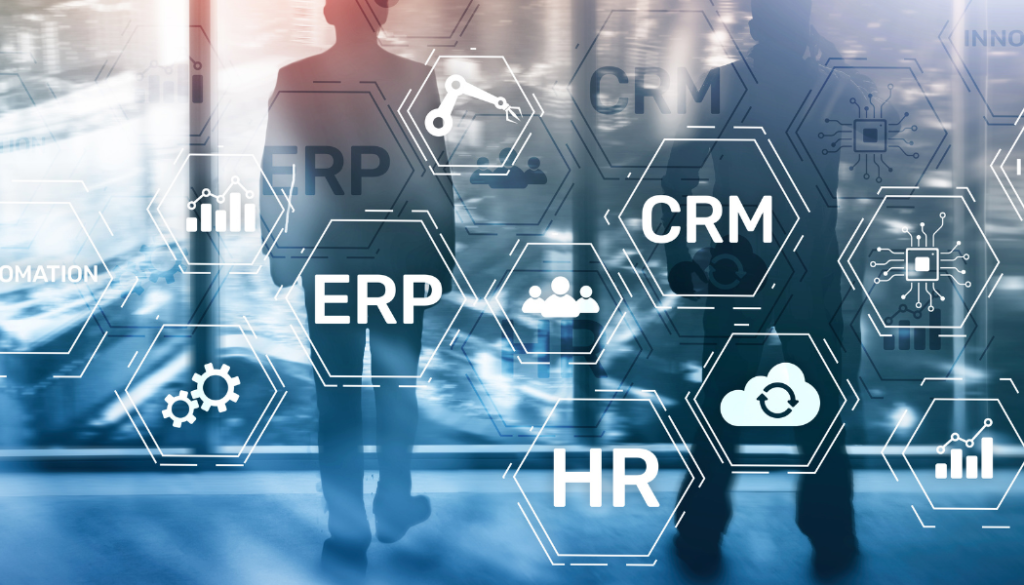
Businesses today operate in a fast-moving environment where managing multiple departments manually can slow growth and create operational challenges. From accounting and inventory tracking to employee management and customer service, every business function needs accurate coordination. This is why many companies are turning to Enterprise Resource Planning (ERP) systems to improve efficiency and streamline operations. ERP software combines different business functions into one centralized platform, allowing organizations to manage daily activities more effectively. Instead of using separate software for finance, sales, inventory, and HR, ERP systems connect everything in a single solution. Companies like Mentor Performance provide advanced ERP solutions that help businesses automate workflows, improve productivity, and gain better control over operations. What Are ERP Modules? ERP modules are specialized components within an ERP system that manage specific business processes. Each module focuses on a particular department or operation while sharing information with other modules through a centralized database. This integration allows businesses to access real-time data across all departments without duplication or delays. For example, when a customer places an order, the sales module records the transaction, the inventory module updates stock levels, and the finance module automatically generates billing information. This seamless communication between departments improves accuracy and saves time. Core ERP Modules Every Business Should Understand Finance and Accounting Module The finance module helps businesses manage accounting operations such as invoices, tax calculations, expenses, budgeting, and financial reporting. It gives management a clear overview of company finances while reducing manual accounting errors. Businesses can easily monitor cash flow, track payments, and generate financial statements whenever needed. Automated accounting processes also help organizations maintain compliance and improve decision-making. Inventory Management Module Inventory management is one of the most important ERP modules for businesses dealing with products and stock movement. This module tracks inventory levels, warehouse management, stock transfers, and product availability in real time. With proper inventory control, businesses can avoid overstocking, reduce shortages, and improve order fulfillment. It also helps improve warehouse efficiency and customer satisfaction. Human Resource Management Module The HR module simplifies employee management by automating payroll processing, attendance tracking, leave management, recruitment, and employee performance monitoring. Instead of handling HR activities manually, businesses can manage workforce operations more efficiently while improving employee record accuracy and reducing administrative workload. Customer Relationship Management Module CRM modules help businesses manage customer interactions, sales activities, marketing campaigns, and customer support services. By organizing customer information in one system, companies can improve communication and build stronger customer relationships. Sales teams can track leads more effectively, while customer service teams can respond quickly using updated customer data. Procurement and Purchase Module The procurement module manages supplier information, purchase orders, vendor communication, and material sourcing. It helps businesses maintain better control over purchasing activities and improve supply chain efficiency. Automated procurement processes reduce delays and improve coordination with suppliers, helping businesses maintain smooth operations. Manufacturing and Production Module Manufacturing businesses benefit greatly from ERP production modules. These modules help manage production schedules, raw materials, quality control, machine utilization, and production planning. By automating manufacturing workflows, companies can reduce waste, improve production efficiency, and deliver products on time. Why ERP Modules Matter for Business Growth ERP modules improve business performance by connecting all operations through one centralized platform. Instead of working with disconnected systems and spreadsheets, businesses gain complete visibility into operations in real time. Some major benefits include: ERP systems also support faster decision-making because managers can access real-time business insights instantly. How Mentor Performance Helps Businesses with ERP Solutions Mentor Performance provides customized ERP solutions designed to meet the needs of different industries including retail, wholesale, distribution, manufacturing, and service sectors. Their ERP platform helps businesses manage finance, inventory, sales, HR, and customer operations from a single integrated system. With user-friendly interfaces, real-time reporting, and scalable modules, Mentor Performance helps businesses improve operational efficiency while supporting long-term growth. Conclusion ERP modules play a vital role in modern business management by integrating core operations into one efficient platform. Whether it is accounting, inventory management, HR, customer service, or production planning, ERP systems help businesses improve productivity, reduce operational complexity, and make smarter decisions. Choosing the right ERP solution allows companies to streamline workflows, improve accuracy, and create a strong foundation for future expansion. Businesses looking to improve operational performance can benefit greatly from implementing a reliable ERP system tailored to their industry needs.